Gradientes CSS
Gradientes CSS exibem transições progressivas entre duas ou mais cores. Saiba sobre os tipos de gradientes, uso e veja exemplos.
Um gradiente CSS é uma imagem gerada pelo navegador que exibe uma transição suave e progressiva entre duas ou mais cores especificadas. Como um gradiente é tecnicamente uma <image>, você o define em qualquer lugar onde CSS espera um valor de imagem — mais frequentemente na propriedade background-image, mas também funciona para border-image, list-style-image e mask-image.
Gradientes são independentes de resolução (escalam para qualquer tamanho sem perda de qualidade) e não geram nenhuma requisição HTTP adicional, o que os torna uma alternativa leve a arquivos de imagem para fundos, botões, sobreposições e formas decorativas.
Esta página aborda as três funções de gradiente definidas pelo CSS, com exemplos executáveis para cada uma:
- Gradientes lineares — as cores fluem ao longo de uma linha reta.
- Gradientes radiais — as cores irradiam a partir de um ponto central.
- Gradientes cônicos — as cores giram em torno de um ponto central.
Cada função também possui uma variante repeating-* que repete o gradiente em mosaico em vez de esticá-lo uma vez pelo elemento.
Gradientes Lineares
A função linear-gradient() cria uma imagem cujas cores fazem a transição ao longo de uma linha reta. Você controla duas coisas: a direção dessa linha e a lista de pontos de cor ao longo dela. Sem direção, a linha vai do topo para a base do elemento.
Sintaxe do gradiente linear
background-image: linear-gradient(direction, color1, color2, ...);direction é opcional. Pode ser uma palavra-chave (to right, to bottom left) ou um ângulo (90deg). Tudo após isso é a lista de cores separadas por vírgula. Qualquer cor CSS válida funciona, incluindo cores nomeadas, hexadecimal, rgb() e hsl().
De Cima para Baixo
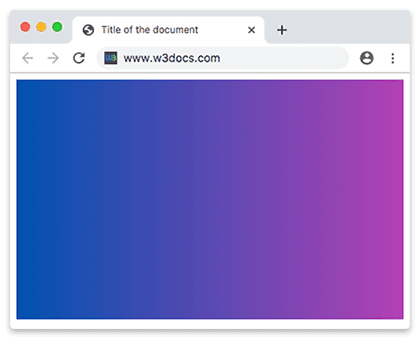
Gradientes lineares fazem a transição de cima para baixo por padrão, então você pode omitir a direção completamente.
Exemplo de gradiente linear de cima para baixo
<!DOCTYPE html>
<html>
  <head>
    <title>Title of the document</title>
    <style>
      .gradient {
        height: 300px;
        background-color: blue;
        background-image: linear-gradient(#0052b0, #b340b3);
      }
    </style>
  </head>
  <body>
    <div class="gradient"></div>
  </body>
</html>A declaração background-color é um fallback: navegadores muito antigos que não entendem o gradiente ignoram a linha background-image e recorrem à cor sólida, garantindo que o texto permaneça legível.
Da Esquerda para a Direita
Adicione a palavra-chave to right para rotacionar a linha de modo que a primeira cor fique na borda esquerda e a última na direita.
Exemplo de gradiente linear da esquerda para a direita
<!DOCTYPE html>
<html>
  <head>
    <title>Title of the document</title>
    <style>
      .gradient {
        height: 300px;
        background-color: blue;
        background-image: linear-gradient(to right, #0052b0 ,#b340b3);
      }
    </style>
  </head>
  <body>
    <div class="gradient"></div>
  </body>
</html>Gradientes Diagonais
Combine uma palavra-chave vertical e uma horizontal (por exemplo to bottom right) para fazer a linha percorrer o elemento na diagonal, de canto a canto.
Exemplo de gradiente diagonal
<!DOCTYPE html>
<html>
  <head>
    <title>Title of the document</title>
    <style>
      .gradient {
        height: 300px;
        background-color: blue;
        background-image: linear-gradient(to bottom right, #0052b0, #b340b3);
      }
    </style>
  </head>
  <body>
    <div class="gradient"></div>
  </body>
</html>Usando Ângulos
Para controle total sobre a direção, use um ângulo em vez de uma palavra-chave. O ângulo é medido no sentido horário a partir da direção "para cima": 0deg aponta a linha do gradiente para cima (as cores fluem de baixo para cima), 90deg aponta para a direita (da esquerda para a direita), 180deg aponta para baixo. Ângulos negativos giram no sentido anti-horário.
Exemplo de gradiente linear com ângulo especificado
<!DOCTYPE html>
<html>
  <head>
    <title>Title of the document</title>
    <style>
      .gradient {
        height: 300px;
        background-color: blue;
        background-image: linear-gradient(70deg, #0052b0, #b340b3);
      }
    </style>
  </head>
  <body>
    <div class="gradient"></div>
  </body>
</html>Múltiplas Cores
Um gradiente aceita qualquer número de cores. Por padrão, elas são espaçadas uniformemente, com cada cor se fundindo suavemente na próxima.
Exemplo de gradiente linear com múltiplas cores
<!DOCTYPE html>
<html>
  <head>
    <title>Title of the document</title>
    <style>
      .gradient {
        height: 300px;
        background-color: blue;
        background-image: linear-gradient(#f50707, #f56e00,#f7df00, #66f507, #0052b0, #520f41, #ff0856);
      }
    </style>
  </head>
  <body>
    <div class="gradient"></div>
  </body>
</html>Você pode combinar uma direção com múltiplas cores e fixar cada cor em uma posição específica. Uma posição é uma porcentagem (0% é o início da linha, 100% é o fim) ou um comprimento absoluto. Atribuir duas posições a uma cor cria uma faixa sólida dessa cor entre elas.
Exemplo de gradiente linear com múltiplas cores da esquerda para a direita
<!DOCTYPE html>
<html>
  <head>
    <title>Title of the document</title>
    <style>
      .gradient {
        height: 300px;
        background-color: blue;
        background-image: linear-gradient(to right, #f50707, #f56e00,#f7df00, #66f507, #0052b0, #520f41, #ff0856);
      }
    </style>
  </head>
  <body>
    <div class="gradient"></div>
  </body>
</html>Exemplo de gradiente linear com múltiplas cores da direita para a esquerda
<!DOCTYPE html>
<html>
  <head>
    <title>Title of the document</title>
    <style>
      .gradient {
        height: 300px;
        background-color: blue;
        background-image: linear-gradient(to left, #f50707, #f56e00,#f7df00, #66f507, #0052b0, #520f41, #ff0856);
      }
    </style>
  </head>
  <body>
    <div class="gradient"></div>
  </body>
</html>Transparência
Os pontos de cor podem ser parcial ou totalmente transparentes, o que é útil para desvanecer um fundo em relação ao que está por trás. Use rgba() (ou qualquer cor com canal alfa) e defina o alfa de 0 (totalmente transparente) a 1 (totalmente opaco). Esta é a forma padrão de aplicar uma sobreposição legível sobre uma foto.
Exemplo de gradiente linear de cor sólida para transparente
<!DOCTYPE html>
<html>
  <head>
    <title>Title of the document</title>
    <style>
      .gradient {
        height: 200px;
        background-image: linear-gradient(to left, rgba(235, 117, 253, 0), rgba(235, 117, 253, 1));
      }
    </style>
  </head>
  <body>
    <div class="gradient"></div>
  </body>
</html>Gradiente Linear Repetido
repeating-linear-gradient() repete o padrão do gradiente pelo elemento em vez de esticá-lo uma vez. O tamanho de uma repetição é definido pela posição do último ponto de cor — aqui 10%, então o padrão de três cores se repete a cada 10% da linha. Isso é útil para listras e texturas de barras de progresso.
Exemplo de gradiente linear repetido
<!DOCTYPE html>
<html>
  <head>
    <title>Title of the document</title>
    <style>
      .gradient {
        height: 200px;
        background-color: blue;
        background-image: repeating-linear-gradient(55deg, #d5b6de, #6c008a 7%, #036ffc 10%);
      }
    </style>
  </head>
  <body>
    <div class="gradient"></div>
  </body>
</html>Gradientes Radiais
Um gradiente radial irradia a partir de um ponto central, com a primeira cor no meio e a última na borda. São necessários pelo menos dois pontos de cor. O gradiente pode ter a forma de um circle (círculo) ou de uma ellipse (elipse, o padrão).
Sintaxe do gradiente radial
background-image: radial-gradient(shape size at position, start-color, ..., last-color);A parte shape size at position é opcional. Quando omitida, você obtém uma elipse farthest-corner centralizada no elemento.
Exemplo de gradiente radial com três cores
<!DOCTYPE html>
<html>
  <head>
    <title>Title of the document</title>
    <style>
      .gradient {
        height: 250px;
        width: 250px;
        background-color: blue;
        background-image: radial-gradient( #ff0509, #fff700, #05ff33);
      }
    </style>
  </head>
  <body>
    <div class="gradient"></div>
  </body>
</html>Posicionando Pontos de Cor Radiais
Assim como nos gradientes lineares, você pode fixar cada cor em uma porcentagem ou comprimento absoluto para controlar quanto do raio ela ocupa.
Exemplo de pontos de cor com espaçamento diferente
<!DOCTYPE html>
<html>
  <head>
    <title>Title of the document</title>
    <style>
      .gradient {
        height: 250px;
        width: 250px;
        background-color: blue;
        background-image: radial-gradient( #ff0509 10%, #fff700 20%, #05ff33 80%);
      }
    </style>
  </head>
  <body>
    <div class="gradient"></div>
  </body>
</html>Posicionando o Centro
Use a palavra-chave at para mover o centro do gradiente para fora do meio do elemento, usando porcentagens ou comprimentos absolutos.
Exemplo de gradiente radial com centro posicionado
<!DOCTYPE html>
<html>
  <head>
    <title>Title of the document</title>
    <style>
      .gradient {
        height: 250px;
        width: 250px;
        background-color: blue;
        background-image: radial-gradient(at 0% 30%, #ff0509 10px, #fff700 30%, #05ff33 50%);
      }
    </style>
  </head>
  <body>
    <div class="gradient"></div>
  </body>
</html>Forma do Gradiente Radial
O parâmetro de forma é circle ou ellipse. Uma elipse (o padrão) se estica para corresponder à proporção do elemento; um círculo permanece perfeitamente redondo independentemente da largura e altura do elemento.
Exemplo de forma do gradiente radial
<!DOCTYPE html>
<html>
  <head>
    <title> Title of the document</title>
    <style>
      .gradient1 {
        height: 150px;
        width: 200px;
        background-color: blue;
        background-image: radial-gradient(red, yellow, green);
      }
      .gradient2 {
        height: 150px;
        width: 200px;
        background-color: blue;
        background-image: radial-gradient(circle, red, yellow, green);
      }
    </style>
  </head>
  <body>
    <h2>Ellipse:</h2>
    <div class="gradient1"></div>
    <h2>Circle:</h2>
    <div class="gradient2"></div>
  </body>
</html>Dimensionamento do Gradiente Radial
A palavra-chave de tamanho decide onde o último ponto de cor é colocado — ou seja, até onde o gradiente se expande antes de terminar. Existem quatro palavras-chave, medidas a partir do centro do gradiente:
closest-side— termina na borda mais próxima do elemento.closest-corner— termina no canto mais próximo.farthest-side— termina na borda mais distante.farthest-corner— termina no canto mais distante. Este é o padrão.
Exemplo de gradientes radiais com tamanho especificado
<!DOCTYPE html>
<html>
  <head>
    <title>Title of the document</title>
    <style>
      .gradient1 {
        height: 150px;
        width: 150px;
        background-color: blue;
        background-image: radial-gradient(closest-side at 60% 55%, #ff0509, #fff700, #103601);
      }
      .gradient2 {
        height: 150px;
        width: 150px;
        background-color: blue;
        background-image: radial-gradient(farthest-side at 60% 55%, #ff0509, #fff700, #103601);
      }
      .gradient3 {
        height: 150px;
        width: 150px;
        background-color: blue;
        background-image: radial-gradient(closest-corner at 60% 55%, #ff0509, #fff700, #103601);
      }
      .gradient4 {
        height: 150px;
        width: 150px;
        background-color: blue;
        background-image: radial-gradient(farthest-corner at 60% 55%, #ff0509, #fff700, #103601);
      }
    </style>
  </head>
  <body>
    <h2>closest-side:</h2>
    <div class="gradient1"></div>
    <h2>farthest-side:</h2>
    <div class="gradient2"></div>
    <h2>closest-corner:</h2>
    <div class="gradient3"></div>
    <h2>farthest-corner:</h2>
    <div class="gradient4"></div>
  </body>
</html>Gradiente Radial Repetido
repeating-radial-gradient() repete o padrão radial para fora em anéis a partir do centro. Assim como na versão linear, a posição do último ponto de cor define o tamanho de um anel.
Exemplo de gradiente radial repetido
<!DOCTYPE html>
<html>
  <head>
    <style>
      .gradient {
        height: 200px;
        width: 200px;
        background-color: blue;
        background-image: repeating-radial-gradient(#f70000, #f7da00 10%, #005cfa 15%);
      }
    </style>
  </head>
  <body>
    <div class="gradient"></div>
  </body>
</html>Gradientes Cônicos
Um gradiente cônico gira suas cores em torno de um ponto central, como os ponteiros de um relógio varrendo o espectro. Enquanto um gradiente radial muda de cor conforme você se move para fora, um gradiente cônico muda de cor conforme você se move ao redor. Isso o torna a ferramenta natural para gráficos de pizza, rodas de cores e acentos angulares.
Sintaxe do gradiente cônico
background-image: conic-gradient(color1, color2);Os pontos de cor são posicionados por ângulo (deg) em vez de comprimento. O gradiente começa no topo (0deg) e varre no sentido horário.
Exemplo de gradiente cônico básico
<!DOCTYPE html>
<html>
  <head>
    <title>Title of the document</title>
    <style>
      .gradient {
        height: 250px;
        width: 250px;
        background-color: blue;
        background: conic-gradient(#ff0000, #fff200);
      }
    </style>
  </head>
  <body>
    <div class="gradient"></div>
  </body>
</html>Posicionando o Centro Cônico
Assim como nos gradientes radiais, a palavra-chave at move o ponto central da varredura usando porcentagens ou comprimentos absolutos.
Exemplo de gradiente cônico com centro posicionado
<!DOCTYPE html>
<html>
  <head>
    <title>Title of the document</title>
    <style>
      .gradient {
        height: 250px;
        width: 250px;
        background-color: blue;
        background: conic-gradient(at 0% 50%, red 10%, yellow 30%, #1eff00 60%);
      }
    </style>
  </head>
  <body>
    <div class="gradient"></div>
  </body>
</html>Alterando o Ângulo
A palavra-chave from rotaciona toda a varredura, deslocando o ponto de partida de 0deg.
Exemplo de gradiente cônico com ângulo rotacionado
<!DOCTYPE html>
<html>
  <head>
    <title>Title of the document</title>
    <style>
      .gradient {
        height: 250px;
        width: 250px;
        background-color: blue;
        background: conic-gradient(from 35deg, #ff0000, #ffa600, #fcf000, #03ff0f, #be05fc, #ff0095);
      }
    </style>
  </head>
  <body>
    <div class="gradient"></div>
  </body>
</html>Gradiente Cônico Repetido
repeating-conic-gradient() repete o padrão angular ao redor do círculo, que é a forma clássica de criar efeitos de explosão estelar e tabuleiro de xadrez.
Exemplo de gradiente cônico repetido
<!DOCTYPE html>
<html>
  <head>
    <title>Title of the document</title>
    <style>
      .gradient {
        height: 250px;
        width: 250px;
        background-color: blue;
        background: repeating-conic-gradient(from -45deg, red 45deg, orange, yellow, green, blue 225deg);
      }
    </style>
  </head>
  <body>
    <div class="gradient"></div>
  </body>
</html>Suporte a Navegadores e Dicas
Gradientes lineares e radiais são suportados em todos os navegadores modernos. Gradientes cônicos são mais recentes — funcionam em todas as versões atuais do Chrome, Edge, Firefox e Safari, mas se você precisar dar suporte a navegadores muito antigos, combine o gradiente com um fallback de background-color sólido, como mostrado anteriormente.
Algumas dicas práticas:
- Empilhe gradientes. A propriedade
background-imageaceita uma lista separada por vírgulas, então você pode sobrepor vários gradientes (o primeiro listado fica no topo). Combine gradientes transparentes com uma foto para criar sobreposições. - Use
hsl()para transições mais suaves. A interpolação entre matizes muito diferentes em hexadecimal pode passar por cinzas opacos; escolher matizes próximos ou usarhsl()mantém as transições limpas. - Desempenho. Gradientes são leves, mas animá-los repinta o elemento inteiro. Prefira animar
transform/opacityem vez do próprio gradiente para movimentos suaves.
Tópicos Relacionados
background-image— a propriedade à qual os gradientes são mais frequentemente aplicados.background-size— controle o tamanho de uma camada de gradiente para habilitar repetição em mosaico.- Cores CSS e nomes de cores CSS — os valores de cor que você coloca dentro dos gradientes.
- Transições CSS — para animar outras propriedades junto com fundos de gradiente.